Wednesday, 9 April 2014

Reflective synopsis

The past 6 weeks has been a technically grueling introduction to the world of ICT's.  As a person that utilises computers frequently, every teaching tool that I have been introduced to in recent times has been a completely foreign experience. In saying that, boundaries have been pushed and I am now experiencing feelings of elation as I have broadened my knowledge and gained confidence in areas previously unknown.

Recently, I have come to be particularly familiar with blogging, Wiki spaces, resizing images, utilising Flickr, Weebly, Glogster and Google Earth.  Each tool obviously has their own significant purpose and benefits in the learning environment.

E-LEARNING TO SUPPORT 'LEARNING'

The scope and value of E-learning is certainly more vast than one could ever imagine.  My eyes have certainly been opened to ways of using Information, Communication, Technologies (ICT's) to transform, support, facilitate and enhance learning.  Learning and using technology is fluid and changeable.  Society today is constantly progressing, so it is important that the way our children are being taught is also constantly evolving.  ICT's have also been introduced to the curriculum through ACARA whereby it is now a requirement that this is used in today's teaching.

ICT's can enhance the quality of education in several ways: by increasing learner motivation and engagement, by facilitating the acquisition of basic skills, and by enhancing teacher training Haddad,Wadi D, Jurich & Sonia (2002). ICT's provide a new way of learning (and teaching) as opposed to the more traditional ways.  


The ways of teaching and learning in the 21st Century have certainly shifted from teacher-centred pedagogy to a more learner-centred stance (Haddad et al, 2002).  This type of learning certainly aligns with the principles of numerous learning theories including Constructivism which indicates that learning is social and scaffolded and Connectivism which outlines that this is a learning theory for the digital age.


The attached table is a representation of more traditional teaching methods as opposed to the emerging pedagogy:


Overview of Pedagogy in the Industrial versus the Information Society
Eprimer-edu table 2.jpg
Source: Thijs, A. (n.d). Learning Through the Web. http://en.wikibooks.org/wiki/ICT_in_Education/The_Promise_of_ICTs_in_Education

Throughout the past six weeks, I have become very familiar with the SAMR Model (Substitution; Augmentation; Modification; Redefinition) - an earlier blog entry details this model.  This model is a classic example of how to integrate ICT's into the classroom.  Whilst 'Substitution' and 'Augmentation' tend to enhance learning by acting as a direct substitute (or functional improvement) for learning, it is the 'Modification' and 'Redefinition' that transforms learning by challenging the students to undertake tasks previously inconceivable (Department of Education, 2014).

If students are required to be using tools that they are unfamiliar with, then Teachers need to be mindful about facilitating the change, providing useful instructions and providing support to their students throughout the process.  As a Teacher it will be my role to provide the scaffolding process (refer to week 2 blog) ensuring learning at different stages with support to promote a deeper level of thinking.

Below is a SAMR reflection on the ways that ICT can be used for learning in the classroom.

SUBSTITUTION: Have students use an ipad / laptop / PC for typing lesson notes as opposed to usual means of writing (direct tool substitute with no functional change - SAMR)

AUGMENTATION: Students are to type notes from the lesson but also upload and include images (either the author's own or through a program such as Flickr) in their documentation to reflect the lesson (direct tool substitute with no functional improvement - See SAMR link above).

MODIFICATION: Enable students to participate in the lesson and then create their own Website with the information they have learnt as well as extending on their knowledge by conducting further research.  This is to be used as an interactive tool as other students are to access the website and provide comments / feedback (technology allowing for significant task redesign - See SAMR link above).  

REDEFINITION: Conduct a lesson in co-ordination with a Teacher from another school, whereby the lesson is conducted (for each other's class) using web-conferencing.  Students are to utilise Google Earth to map the location of the Teacher and create a virtual tour of the surroundings of their 'interactive Teacher'.  Students are then to present this to the usual Teacher via a multimodal tool - ie blog / wiki / weebly (technology allowing for the creation of new tasks, previously inconceivable - See SAMR link above).

MODELLING AND SUPPORTING SAFE PRACTICES

Due to the nature of ICT's as well as the environment in which we will be promoting these (ie schools), the use of the internet and safety of the students is paramount.  The Australian Government have created their own website and adopted their own policies when it come to 'cybersafety' to ensure that students are protected.  As a Teacher it is my role to ensure that the tasks that I delegate are safe, legal, ethical and that any online interaction also upholds these values.

The 'cyber(smart)' internet site is a fabulous resource for young kids, teenages, parents, schools, libraries and citizens.  It offers up to date valuable information and resources for all ages on a variety of issues including:
* Parental controls
* Lesson plans and resources
* How do I deal with cyber bullying; identity theft; unwanted contact
* Getting help online - re: Kids help line (with links to the site)
* Online safety
* Policy guidance regarding cyber safety.

In conclusion, ICT's have certainly embedded an image on the way that Teachers are encouraging higher order thinking and the way students are learning.  The functionality of the tools is extremely diverse and the use of digital tools are now considered to be an integral part of learning.

As evidenced throughout this reflection, ICT's transform, facilitate, support and enhance learning through the use of various frameworks and models.  I have recently gained experience using various forms of technology and have had the opportunity to demonstrate my own scaffolding process, which in turn has developed my own pedagogy.

REFERENCES

Australian Curriculum Assessment and Reporting Authority (ACARA). (2013). Australian Curriculum: Information and Communication Technology (ICT) capability.  Retrieved from http://www.australiancurriculum.edu.au/GeneralCapabilities/information-and-communication-technology-capability/organising-elements/organising-elements

Commonwealth of Australia (2014). Cybersafety. Retrieved from:  http://education.qld.gov.au/studentservices/behaviour/qsaav/cybersafety.html

Department of Education (2014). Retrieved from:  http://det.wa.edu.au/ipadsforeducation/detcms/navigation/literacy-and-numeracy-focus/?page=all

Department of Education, Training and Employment (2013). Retrieved from: https://classroomconnections.eq.edu.au/topics/Pages/2013/issue-7/samr-learning-technologies.aspx

Learning Theory - education. (2014). Retrieved from: http://en.wikipedia.org/wiki/Learning_theory_(education)

Haddad,Wadi D and Jurich, Sonia (2002).  ICT for Education: Potential and Potency, in Haddad,W & Drexler, A. (eds), Technologies for Education: Potentials, Parameters, and Prospects (Washington DC: Academy for Educational Development and Paris: UNESCO), pp. 34-37.


Teaching and Learning in the 21st Century. (n.d).  Retrieved from: http://c21teachingandlearning.global2.vic.edu.au/2012/09/14/a-model-to-transform-your-use-of-ict/

Thijs, A. Overview of Pedagogy in the Industrial versus the Information Society. (n.d).  Retrieved from http://en.wikibooks.org/wiki/ICT_in_Education/The_Promise_of_ICTs_in_Education


Tuesday, 1 April 2014

Week 6 - Reflection (Group 4 tools)

This week has once again provided me with options and I have chosen to explore Google Earth.  It is interesting to note that I have never used this tool and so my expectations were very limited. I was actually of the opinion that this program was useful for looking at satellite images of the world and that was all that could be done. I have since realised that this program has many amazing features and the lessons that can be taught are endless.

Earth from Space
Earth image and star field background by NASA / Goddard space flight centre available at https://www.flickr.com/photos/gsfc/5710028991/ under a Creative Commons Attribution 2.0.
The features of this program include being able to look at satellite images (relatively recent) or historically (eg prior to current landmarks); the ability to look at various layers of the earth (such as earth quake locations; oil rigs which are under the sea), the provision to explore the moon, mars and sky; tracing and measuring almost any location on earth;  examining three dimensional trees and learning to navigate a virtual globe. The capabilities of this program are enormous.

Attached is a virtual tour that I have created through Google Earth, this can be accessed via the 'Placesvisited.kmz' once Google Earth has been opened (on the left hand side of the page).  Dealing with technology certainly has its advantages as well as difficulties along the way.  I seemed to have a lot of trouble with Google Earth in that it continued to freeze whilst I was constructing my tour.  I did start over on more than one occasion and finally persisted until I was able to produce what it was that I had set out to do.

In relation to the SAMR model and linking this to the Google Earth program, the following lessons have been developed:

SUBSTITUTION: Students are to access the Teacher's virtual tour via Google Earth and peruse the places that have been visited.  Students are to research each of the towns (Weipa; Cairns; Fiji; New Zealand; San Francisco) and create their own itinerary using these places - if the students were to visit these towns what attractions are there to visit?

AUGMENTATION: Have students work in pairs.  The students are to exchange information about locations where they would like to visit.  Each student is to plot their partners route, saving the places in their places panel, organising place marks and then playing an automated tour of the place marks.  Students are to provide the class with a virtual tour of their partner's intended holiday.  Students are to research resources in the town (ie mining in Mt Isa), tourist attractions, currency, historical elements of the town, climate, distance between locations etc and present this in their own glogster.

MODIFICATION:  In small groups, the students are to analyse schools that are currently situated in a particular town (such as a capital city) and consider the implications for building a new school - they will need to consider access issues such as roads and transport, existing premises that may affect approvals (ie jails), seismic hazards, the population density, location, distance between existing schools.  Students are then to justify their reasoning for choosing this location and make a placemark using Google Earth. A report is to be provided to the Teacher using Powerpoint.  Different visual aspects are to be presented to the Teacher to demonstrate the current land situation.  Ultimately the goal of this task is to plan for safer cities which in turn may reduce natural disasters. 

REDEFINITION: Google Earth also appears to be an amazing tool when it also comes to exploring environmental issues.  As a small group, students would be provided with the latitude and longitude of a particular river system.  They would be required to locate the river and calculate the altitude between the origin and the mouth of the river.  Students are to zoom in on the river banks and analyse the vegetation, flora, fauna, predict what season the satellite image may have been taken in - by assessing tree foliage etc.  Travelling along the bank, students would be required to look at the towns or cities that are located nearby the river and analyse the impact of their situation ie concerning pollution and water retrieval etc.

The rivers selected for analysis would also have areas that contain large volumes of vacant land alongside them. Students are to find a suitable piece of land and construct their own town.  They would be required to look at the infrastructure, proposed layout, access to electricity / phones etc.  The town only needs to provide essential services - general store, butcher, baker, etc.  The small group could then actually create the buildings using Google Earth.

Students would finally be required to research the actual river and compare their information to the actual facts.

Once again and particularly as this is a virtual satellite program, Teachers need to be extremely cautious and wary about students revealing or publishing private information. As a Teacher, privacy and protection of students is paramount.  Sharing of information on the internet is absolutely forbidden and Teachers need to ensure that privacy settings have been set accordingly.

After experimenting with this program, I am certainly able to see the value that this program would have in the classroom in all grades and with a variety of subject matters.  This week's exploration has certainly allowed me to broaden my knowledge and grasp the affordances of this program.

The technology is readily available in most schools, it seems up to the Teacher in this instance to be creative in the work that is provided for students. In saying that, there are ample lesson plans already invented that can be adapted to any class situation.  Thank you for the introduction to this modern learning tool.

Friday, 28 March 2014

Week 5 - Reflective synopsis

This week a further challenge was presented, however I appear to be gaining more confidence at being able to decipher and complete the task at hand when it comes to different types of technology... This week was the opportunity to experiment with Power points, Prezi and Glogster's.  Being inexperienced with each of the multimodal tools, I decided to explore each of the toold but focus on the Glogster (or Glog).  Initially I certainly had reservations, however after spending some quality time learning about this tool I believe that I am well underway to confidently using this as a teaching tool.

Attached is the link to my own personal 'glogster'.  The visual images used within the Glogster are the authors own photos and permission has been obtained for the photographs to be published.  Video's have been embedded from Youtube and when the video's are accessed, the image reverts back to the original Youtube site.

Basically Glogster ('graphical blog'), is a multimodal learning environment which allows the user to participate in a visual and virtual classroom.  Glogster allows the creator to utilise text, videos, graphics, audio and drawings. It also allows the user to basically drag and drop the files / audio / videos into the poster / web page type format and then this can be used as a teaching tool.  The Glogster is a fabulous tool which encourages interactive learning. Teachers are able to create a Glogster, provide instructions within the Glogster which then allows the students the ability to autonomously undertake the task using the multimodal function.

Below is a quick visual guide for creating a Glogster, which is useful for those new to the Glogster method of teaching:


There were some features with the Glogster that I found time consuming and perhaps not so user friendly.  For me, this was particularly in relation to attaching videos.  Although the videos were attached correctly, there do appear to be some issues once the Glogster was published.  I did wonder whether this was because this was an American site importing Australian videos?

Some further points to consider in relation to the Glogster include the lack of spell check; graphics / videos may cause distraction when learning and students do need to have a basic level of computer skills before utilising the Glogster. Also depending on the abilities of the students the time constraints will vary.

As a Teacher, it is also vital to investigate the laws that are within your particular school when it comes to internet as some schools may have restrictions for students under certain ages accessing the computer. Once again due to Glogster being an interactive program, there are always safety and security issues, so monitoring students work and interactions are essential.

In relation to the positives with Glogster, these are plentiful & seem to outweigh the negatives. These include the fact that Glogster is a student centred way of learning, students have the ability to link Glogster to other means of technology ie wiki / blogs, students can interact with other students in the class or on the other side of the world, work can be monitored by the Teacher; videos and links can be embedded easily and Glogster certainly has the ability to be visually appealing.

When it comes to incorporating the SAMR model, I have considered each level of the model and applied this to the Glogster.  This is as follows:

SUBSTITUTION: Have students refer to the Teacher's Glog (see the attached link earlier in this blog article) regarding history of the Torres Strait. Divide the students into small groups and have the groups select a period in history (significant to the Torres Strait) and discuss and analyse this firstly amongst themselves and then presenting this to the class by way of an oral presentation.

AUGMENTATION: Students are to create their own glog. They are to refer to the Glog on a daily basis and students are to use the Glog as a tool to analyse their work and reflect upon their day.  It would be a requirement that students utilise videos, audio, pictures and various means of communication and this would then be presented to the Teacher.

MODIFICATION: Students are to upload artistic images through Flickr and import them to their own Glog.  Students are then to undertake research of the nominated artist and conduct a bibliography and timeline which is to be incorporated into their Glog utilising the various multimodal tools - ie video clips; self made movies; images; factual information etc.

REDEFINITION: In an attempt to broaden networks, the Teacher is to liaise with an overseas sister school and make arrangements via video link or Skype to set up an interactive Glog between the classes. Students would be partnered up with an international student and they would each be required to work together as a team on a nominated topic - ie musicians, historical sites, inventors etc to complete a presentation to their fellow classmates in the form of a Glog.

Students would be required to liaise with their fellow international students via email; skype and all practical means to complete a thorough presentation via the Glog.  Both of the students would then be required to present the Glog to their respective classes (same presentation at either sides of the world) which would have been completed in a collaborative manner whilst being over sighted by the Teacher to ensure equity of tasks and delegations.

In summary, the Glogster like all other teaching tools has it's advantages and disadvantages.  However the value of this method of teaching is certainly something that I can visualise in my own classroom.  The Glogster definitely resembles a sign of the times and is a fantastic way of ensuring interactive learning.  The author has the ability to be creative and the Teacher has a way of over sighting in a safe and secure manner.  Thank you once again for taking the time to read my blog, this has been an enjoyable learning experience...


Tuesday, 18 March 2014

Week 4 - Reflective synopsis

Welcome back to my blog! Thanks for taking the time to have a read.

This week I have decided to spend a considerable amount of time focusing on images and using images in e-learning.  Admittedly for sometime I have had an i-phone, I take photos, download them into a program and then the photo stays on the computer taking up excessive space.

(Author's own photo)
This week I have learnt an invaluable lesson about resizing; reshaping and having the ability to send an image without it taking lengthy periods of time and freezing both my own and others computers.  I have also delved into the way in which I attach my own images to my Weebly site and also how to transfer someone else's image to my Weebly site - for example from 'Flickr' which is a program where people may upload photos to or from.

Firstly, the legalities must be considered.  For me, this has been a grey area.  I managed to source a great article on 'how to attribute Creative Commons licenced material'.  The article summarises the technique to ensure that a picture is being attributed correctly and also that the photo being uploaded is an image that may be shared in a public / commercial site.

Furthermore, this week also included attaching my own images and ensuring that once again the appropriate permission had been sought.

The task of actually resizing and then uploading my own personal images was quite a speedy process once I knew what to do.  Although I had to undertake further research to achieve this on my computer, this is certainly a skill that I will continue to utilise both in and out of school.  In regards to the option of uploading images from Flickr, this was certainly a more complex process.  I have learnt that Flickr has recently updated their website and so a lot of the instructions are applicable for the older version, therefore it certainly took time to work out how to manouvre around this site and do what I knew I needed to.  However in turn and with patience, I am now able to upload and attach from Flickr.

When utilising images in e-learning, there are many important factors to consider which can ensure that the images are used in the most valuable way.  These factors include ensuring the images capture the reader's attention, there is no point using a picture unless it relates to the lesson and is stimulating. Ensure that the image is relevant to the age of the student. Ensuring that the image is of a good quality - simply dragging the corners (as I once would have done) is not as effective or inviting as correctly resizing an image.  It is also essential that the size of the image is reduced otherwise you are likely to cause delays for those that attempt to open your site / image.  It is my opinion that using images within education can assist to promote higher order thinking, in that visual learning can cater for students that learn in different ways.

When linking the use of images in the classroom to the SAMR model (which can be explored in a previous blog), there are so many various ways to incorporate do this. Some examples of lessons that could be undertaken with older school age children are listed:

SUBSTITUTION:: The students would be asked to peruse the images on the Teacher's weebly website and select one of the images.  Students are to be creative with the image and present an analysis to the class.   Students may also choose to visualise the before / after of the image or what may be occurring outside the image at the time.

AUGMENTATION: Using a range of cultural images, students are to discuss and prepare a slideshow and oral presentation to the class focusing on one culture and elaborating on the details of the culture that the images invoke. For example analysing tribes, locations, foods, hunting traditions, cultural traditions etc.

MODIFICATION: Assuming that i-tunes is already a program on this particular schools software, have the students download the app 'Animala - written by Graeme Base' (for example), read the text thoroughly and prepare a Powerpoint presentation concerning the literacy features, grammar and specifically the significance of the images. This book has been selected due to the detail and depth of the images.

REDEFINITION: Students will be issued with a list of a number of events that have occurred in history that will be studied in the coming module ie natural disasters; major events such as the World Wars; discovery (of places; inventions) etc. 

Students will then be provided with a camera at school to capture an image, which they believe is most significant to one of those events. For example, they may capture an ant battling to escape deep waters, which may be significant of the Phuket Tsunami.

Have students create a Flickr account and upload their image to this program - due to internet safety issues students would be required to attach an image that excludes any people (despite if they obtained permission from the person, this would simply be because children asking children for permission may have ramifications). Then have the students reduce the sizing of the image and embed this from Flickr to their own Weebly site (assuming this has already been created).  Students would then be required to create a page and prepare an analysis of the image.

In groups of four, students are to look through their images that they have each taken and each group is to select one of the images to work with based on given criteria that they develop and each other’s justification and persuasive techniques. 

Group members are to discuss and analyse their observations in relation to the image.  They are to record the information that they already know about the significant related event.  Students are then to conduct research and then compare this to information that will be provided by the Teacher as a class session.

The use of images for learning is a very powerful tool and they certainly assist in the learning process if used in meaningful manner.  The resizing and uploading of images is an essential learning process as today computers are so heavily relied upon and time is of the essence.  People do not have the time to waste waiting for images to load or the storage space on a computer to continue storing images that are large in size.  Certainly worth taking the time to learn this skill...


Friday, 14 March 2014

Week 3 - Technology Reflection


Week 3 has certainly proven to me that with time and patience, I am able to achieve firstly what I need to and secondly, a tool that I am likely to use in the future.  I am specifically referring to new age technology - Blogs, Wiki's and Weebly's.

Throughout this blog, I will be endeavouring to demonstrate the various features of some of today's technology with a focus on the weebly.  My interpretation of the Weebly is that it is a site that has given me the ability to create my own webpage, whereas the wiki on the other hand was more like a blank canvas that allows for interacting.

Please see the attached Weebly. Initially I had difficulties creating the site as I felt the technological aspects were beyond my capabilities, however I found that if I allowed myself the time to make mistakes then I quickly learnt how to navigate and create a page that I was ultimately happy with.  I think the problem for me initially was that I did not actually realise what I was working towards until the site began to take shape.  Initially, I was able to select the layout, graphics and design and then it was a matter of experimenting with the various headings (such as pages / links / you tube / the ability to add a contact us forum etc) to achieve the desired outcome.

According to the Weebly introduction site, Weebly is perfect for creating classroom websites, student portfolios and websites for assigned projects.  One major factor that would influence me in the classroom using the Weebly site is that the Teacher has the ability to password protect the students websites, which in turn ensures that the Teacher has the ability to control external infuences.  The Teacher can ensure that the site is set up in a private forum as opposed to public.

In relation to adopting the Weebly for use in the classroom, I would certainly be an advocate in using this tool.  I feel as though it would benefit the students in allowing them to be their own creators of a site that they can manage yet is over sighted by the Teacher.  The Weebly is also a free, fun tool which promotes student engagement, is user friendly, has the ability to incorporate video's, photo's, Voki's, hyperlinks to relevant websites and the internet is definitely the way of the future.   It is user friendly and it has the ability to allow for students to experiment in a Teacher organised way.

In regards to the SAMR model (which can be referred to in an earlier blog posting), the way that I would see this as being relevant in the classroom would be to incorporate the various stages of higher order thinking through delegated activities. This can be seen as follows:

SUBSTITUTION: Discover and explore your Teacher's Weebly site.

AUGMENTATION: Create your own basic Weebly site.

MODIFICATION: On your newly created Weebly site, embed a photograph (ensuring to adhere to privacy and safety guidelines) as well as a You Tube clip which is relevant, interesting and essential to the website.

REDEFINITION: Now embed a Voki to introduce your Weebly site. A major benefit in using the Voki is to encourage the participation of all students.  By using a Voki this can encourage even the more reserved students to participate in a safe manner where they are will not feel judged.

A Weebly could be used for many different scenario's.  A website created by the Teacher may be used to promote the classroom requirements and a page relating to various topics - such as class rules; homework; school camp information and assignments.  Whereas a Weebly which is more centred to the student would focus on a topic relevant to the class' curriculum - such as an online website of illustrated and possibly interactive exercise regimes.  Alongside this could be nutritional information; injury prevention and a weekly interactive plan which is student centred.

There are some negatives in relation to the Weebly however I feel that the positives outweigh these.  Basically the Weebly is a free website however you can nominate to pay for optional extras.  The information needs to be updated to ensure accuracy of information and the designs may be seen as being limited.  There is also the risk with technology of losing your work if computers fail or technology prevails...

In regards to the Wiki page and Blog page, I feel as though both of these functions also have their place in today's society.  I have created a Wiki page which will be constantly updating. Both the Wiki and Blog's also have their pro's and con's however in regards to this posting, I have chosen to focus upon the Weebly and my experiences.  This is certainly a tool that I will be utilising in the class room and encouraging students to become familiar with through my own proficiency.

Thursday, 6 March 2014

Reflective Synopsis - Week 2

DeBono's hats has definitely provided me with an objective and alternative way of analysing any topic...  The overall process in regards to this exercise has allowed (and taught) me to reach the point where I am now able to critically reflect and demonstrate a classic example of the scaffolding process.


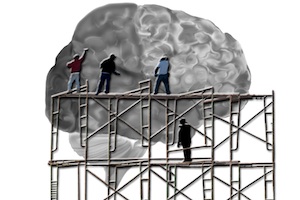
The scaffolding process is an essential process and the attached image is a great visual effect which to me encapsulates the process - basically scaffolding is learning at different stages and the support that I have received during the learning process to assist me to promote a deeper level of thinking.

The scaffolding process in regards to this activity actually commenced two weeks ago when I was attending orientation week.  It was during this time, I became familiar with Moodle; Wiki pages (suitable tools); learning theories, the assessment process; explicit modelling and here I was introduced to the ongoing support, which would later assist me to achieve my learning goals.  Had I not participated in each of the stages of the scaffolding process, I certainly would have struggled with conducting this activity.

Prior to conducting the actual exercise though, I did have the opportunity to explore three various learning theories - behaviourism; cognitivism and constructivism. The learning theories are proving a valuable asset when analysing how 'learners learn'.  In other words what happens to information, how is it absorbed, processed and stored.

From this point, I was able to look at the central issue and think about my responses in a more complex manner, structuring my responses according to the red (intuitive), yellow (positive), black (negative), green (creative), blue (process) and white (objective) hats.  I was able to demonstrate to myself that I could think critically about one issue from various viewpoints and have evidence (from articles and videos) to support each response.  Although prior to conducting the activity I had an opinion about the subject matter, I was certainly keen to analyse my own thoughts (and those of the other students) from each perspective.

Armed with knowledge about the various theories, I feel this exercise certainly aligns with the principals of social constructivism.  Vygotsky claims that social interaction plays a fundamental role in learning.  Information suggests that not only does social learning rely on support of the teacher by modelling and scaffolding as has been discussed, but there are clearly benefits that are apparent after having conducted this activity which are supported by the theory. My experience is that:

* All students have the opportunity (& are encouraged to participate)
* There is now a record of my responses for future reference or for elaborating or editing
* Students and teachers are now aware of my thought processes from all perspectives
* The Wiki allowed me to source my work through use of video; links and articles.

For me this was an invaluable activity and one that I would choose to implement in a classroom setting. Analysing a subject from a variety of perspectives is not something that I would normally undertake and I think that by doing so this assists in constructing new knowledge and building sound scaffolding constructions.


Sunday, 2 March 2014

The SAMR model versus Bloom's Taxonomy!

When comparing the SAMR model and Bloom's Taxonomy, both models have their own guiding principals which are extremely different from each model however in conjunction it appears that they certainly align with one another.  Both models appear to have the same ideology and that is to attain high levels of thinking.

In relation to the SAMR model, evidence suggests that this model was designed to assist teachers to utilise and integrate technology in order to assist students in obtaining high levels of achievement.  Jonathan Brubaker has created a wonderful metaphor symbolising the SAMR model in relation to various coffee flavours.  'Substitution' is considered a standard cup of coffee (or in relation to technology, this may be a 'substituted' tool for achieving the required outcome ie there is no functional improvement). Alternatively, the coffee drinker or the teacher may opt for the pumpkin spiced latte (symbolic of 'redefinition') which as Jonathan suggests truly redefines an espresso drink.


Bloom's Taxonomy in comparison appears to be focused on the higher level of cognitive skill.  When analysing the Cognitive domain of the model, information has suggested that this does not necessarily have to be in an incremental manner however learning at the higher levels is easier once skills have been established and built upon.  The article 'Bloom's Taxonomy of Learning Domains' does suggest that the cognitive domain involves knowledge and the development of intellectual skills.  

In both the SAMR model and Bloom's Taxonomy, it appears that it is important to highlight that both the lower level categories ('substitution' and 'remembering') are equally as important as the higher end categories ('redefinition' and 'evaluating').  However, in today's society which is rapidly evolving, the ultimate goal is to produce higher order thinking which is achieved by aiming for the higher levels of cognitive skill and levels of technology.


What is 'Pedagogy'???


Finally, I have finally mastered the art of pronouncing 'pedagogy', now to grasp the concept!!! For me, I feel it represents effective teaching for effective learning. This picture is courtesy of The keep calm-o-matic

To me, good pedagogy immediately creates images of engaged students; interactive learning; effective teaching which is well planned, highly organized and structured yet the learning is driven by the students for the students. It captures the essence of a ‘successful’ teacher.

Although our readings for the week (via the ICT’s Moodle page) do suggest that learning is ‘always messy and ill-defined’, for me I like to have a long term structured plan to work towards. I am able to adjust spontaneously to cater for the direction of the group and to nurture the dynamics, however ultimately I still feel the teacher ought to steer the direction of the group in order to achieve the desired outcome.

In order to be a successful primary school teacher, I am driven by the idea that pedagogy has an extremely diverse interpretation and I feel that as time goes by I will be able to narrow this down to suit my own individual needs and those of my fellow students but for now, the above principles are a really good place to start!

Tuesday, 25 February 2014

Scaffolding, social constructivism, amygdala????

One week ago these terms would have had me running!!!

As someone new to the Education field, I actually found myself enthralled in a fascinating presentation by Judy Willis. This discussion may be viewed via this link and I believe it clearly demonstrates the link between neuroscience and learning.

From this presentation, I was able to grasp the notion that in order for information to be retained it needs to ‘travel’ to the prefrontal cortex via the Reticular Activating system (RAS) and the Amygdala.

The RAS’s primary concern is assessing for imminent danger and the amygdala is the second filter. If the child is nervous for any reason the amgydala will resonate to the fight / flight / freeze response which will prevent information from travelling and hence being stored.

Based on this information, when examining the learning theories I have come to the conclusion that each theory (behaviourism; cognitivism and social constructivism) has an equal place in education. Students are individual and creative. They learn and retain knowledge in various ways.  It is vital that personal circumstances are considered and Syn-Naps are undertaken at various intervals to maximize learning opportunities.

A summary of the learning theories can be located via the learning-theories webpage and I believe that the various learning theories should be adapted to suit various situations. I am favourable of the social constructivism approach as I personally thrive on the idea that learning often occurs as a result of an active and engaging approach.